


SUBTOTAL:
$0.00 CAD






Nouvelles
How Desk Height Improves Wrist Movement and Everyday Comfort
John BeaverSpending long hours at a workstation, whether working, gaming, or streaming, places repeated demands on the hands and wrists. On gaming desks in particular, when the surface sits too high or too low, wrist movement becomes restricted, forcing awkward angles that can lead to discomfort over time. Understanding how desk height improves wrist movement helps create a setup that supports natural motion, steadier posture, and more comfortable daily use.
Desk height affects where your elbows sit, how your forearms rest, and the way your wrists move across a keyboard or mouse. When these elements align, wrist movement feels smooth rather than forced. When they do not, strain builds gradually, often without immediate warning. This applies to office work, creative tasks, and gaming sessions alike, especially when movement patterns repeat for hours at a time.
By setting desk height correctly and choosing adjustable furniture that adapts to your body, wrist movement becomes more controlled and less tiring. When paired with balanced lighting that reduces glare and visual strain, the result is a workspace that supports focus, comfort, and consistency throughout the day.
Understanding Desk Height and Its Role in Wrist Movement
Desk height plays a direct role in how your wrists move during typing, clicking, and fine motor tasks. When the surface sits at the right level, wrists stay closer to a neutral position, allowing tendons and joints to move freely without unnecessary tension.
A desk that sits too high often forces wrists to bend upward, while a surface that sits too low can cause wrists to drop and shoulders to round forward. Both positions interrupt natural wrist motion and place stress on surrounding muscles. Over time, this can limit movement and reduce comfort, especially during long sessions.
The ideal position keeps forearms roughly parallel to the floor, with elbows sitting close to your sides. From there, wrists can move naturally across the keyboard or mouse without lifting, twisting, or pressing downward. This alignment supports smoother wrist motion and reduces friction during repeated actions.

Height-adjustable desks make this easier to achieve because they allow fine-tuning based on your body proportions rather than forcing you to adapt to a fixed surface. This flexibility supports wrist movement across different tasks, whether seated, standing, or switching between both during the day.
How Proper Desk Height Supports Neutral Wrist Positioning
Neutral wrist positioning allows joints to move without strain. When desk height supports this position, wrist movement becomes more fluid and less restrictive.
A neutral wrist position typically occurs when the desk surface sits at or slightly below elbow height. This allows hands to rest comfortably on input devices without bending up or down. From this position, wrists can glide left, right, and forward with minimal resistance.
When desk height is incorrect, wrists often compensate by bending or hovering. This reduces range of motion and increases tension with every movement. Over time, the reduced freedom of movement can make wrists feel stiff or tired, even during simple tasks.
Supporting neutral positioning also depends on how desk height interacts with other elements, including chair height, keyboard placement, and monitor positioning. Adjustable sit-stand desks make it easier to balance these factors, as height can be refined until wrist movement feels natural rather than forced.
By prioritising neutral wrist positioning through correct desk height, daily movement patterns become more efficient and easier to sustain.
Adjustable Desks and Their Impact on Wrists Comfort Over Time
An adjustable desk allows you to respond to changes in posture and activity rather than locking you into a single position. This flexibility plays a meaningful role in long-term wrist comfort and movement quality.
As fatigue sets in, posture naturally shifts. Without the ability to adjust desk height, wrists may begin to bend or press downward as the body compensates. Height-adjustable desks allow you to respond to these changes by raising or lowering the surface to maintain proper alignment within your existing desk layout.
Switching between sitting and standing can also support wrist movement by reducing prolonged pressure on any single joint position. When desk height adjusts smoothly, wrists remain aligned during transitions instead of being forced into awkward angles.
{{ spec_dual_rubberwood_desk }}
Over time, this adaptability helps maintain consistent wrist movement patterns rather than allowing strain to accumulate. Desky’s adjustable desks are designed to support precise height changes, making it easier to maintain comfortable wrist positioning throughout varied tasks and schedules.
For people who spend many hours at a workstation, the ability to adjust desk height is one of the most practical ways to support sustained wrist comfort.
Practical Desk Height Guidelines to Improve Wrists Movement
Improving wrist movement does not require complex adjustments, but it does require attention to positioning. Desk height should allow wrists to move freely without lifting, bending, or pressing downward.
Start With Elbow and Surface Alignment
A useful starting point is setting desk height so elbows sit at roughly a right angle when hands rest on the work surface. From there, wrists should feel relaxed rather than tense. If wrists feel pulled upward or pressed downward, small height adjustments can make a noticeable difference.
Correct alignment at this stage helps establish a neutral wrist position, which supports smoother movement during typing, clicking, or controller use.
Fine-Tune Height for Natural Wrist Motion
To support smooth wrist movement, focus on these setup details:
- Keep elbows close to your sides so forearms remain parallel to the floor
- Set the surface at or slightly below elbow height to support neutral wrist positioning
- Adjust height in small increments until wrist movement feels relaxed and unrestricted
These small refinements often have a greater impact than large adjustments, especially during long sessions.
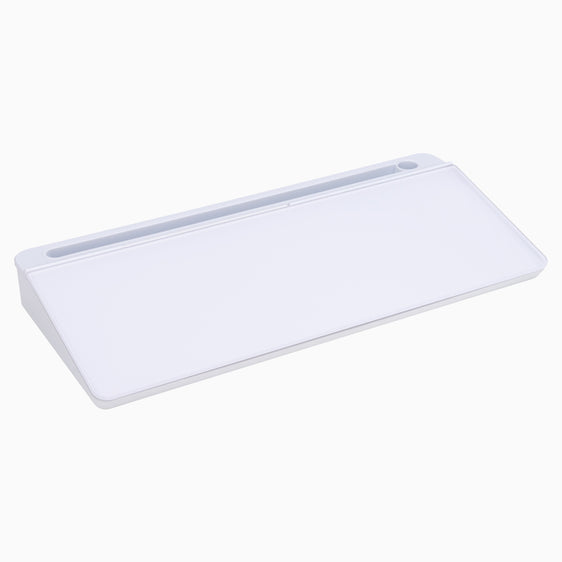
{{ spec_keyboard_tray }}
Keep Input Devices Level and Consistent
Keyboard and mouse placement should remain level with each other, allowing wrists to move laterally without catching on edges or changes in height. Wrist movement should feel smooth across the surface rather than restricted or interrupted by uneven positioning.
Consistency across input devices helps reduce unnecessary wrist deviation throughout repetitive tasks.
Reassess Desk Height Throughout the Day
It is also helpful to reassess desk height during the day. What feels comfortable in the morning may change as posture shifts or tasks vary. Adjustable desks support this ongoing refinement, making it easier to maintain wrist movement quality across different activities.
Regularly checking height and wrist positioning helps protect mobility and supports more comfortable movement across daily tasks.
Build a Health-Focused Workspace With Desky
Desk height has a direct influence on wrist movement, comfort, and long-term usability. When the surface height supports neutral positioning and natural motion, wrists move with less resistance and less strain.
Desky offers adjustable sit-stand desks designed to support ergonomic positioning and smooth height transitions throughout the day. Combined with thoughtful setup choices, these desks help create a workspace that supports wrist movement, posture, and daily comfort without unnecessary complexity.
By choosing furniture that adapts to you, rather than the other way around, it becomes easier to maintain healthy wrist movement across work, gaming, and creative tasks.

Vous aimerez peut-être aussi

Desk Cable Management Mistakes to Avoid
A clean desk can still feel messy when cables are left trailing across the surface, hanging under the ...
Apr 23, 2026

How to Organize Desk Cables Without Drilling for a Cleaner..
A messy desk can make an otherwise polished workspace feel unfinished. Loose charging leads, visible c...
Apr 21, 2026

Step by Step Desk Cable Management Guide for a Cleaner, Mo..
A messy desk rarely starts with one big problem. It usually builds up slowly through charging cables, ...
Apr 20, 2026

Easy Desk Cable Management Hacks for a Cleaner, More Funct..
A tidy workspace can change how your day feels. Loose cords under a desk, tangled charging leads, and ...
Apr 17, 2026